PDFZilla Tutorial - How To Use PDFZilla
Index:
How to Convert PDF to Word, Excel, Images, Text, HTML or Flash
How to Convert JPG to PDF
How to Merge PDF Files
How to Cut PDF
How to Rotate PDF
How to Convert PDF to Word, Excel, Images, Text, HTML or Flash
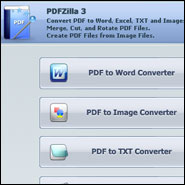
Step 1: Run the PDFZilla
|
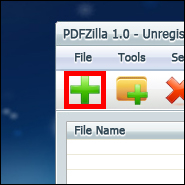
Step 2: Click on Add button
|
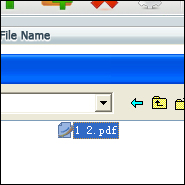
Step 3: Select a PDF File
|
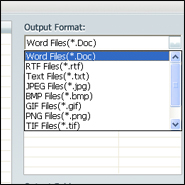
Step 4: Select an output format
|
Step 5: Click Start Converting
|
Step 6: Have a cup of coffee :)
|
How to Convert JPG and Other Images to PDF
Step 1: Run PDFZilla

|
Step 2: Click on Add button

|
Step 3: Convert

|
How to Merge PDF Files
Step 1: PDF Merger

|
Step 2: Add Files

|
Step 3: Merge

|
How to Cut PDF & Delete PDF Pages
Step 1: PDF Cutter

|
Step 2: Open a PDF

|
Step 3: Delete & Save

|
How to Rotate PDF
Step 1: Add Files

|
Step 2: Select Orientation

|
Step 3: Rotate

|